DELL 0J675T Remote Access Card Enterprise R410S IDRAC6 R510 R610 R710
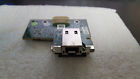
( Brand: Dell ), ( Manufacturer Part Number: 0J675T ), ( Part Type: Remote Card )
Review DELL J675t Remote Access Card Enterprise R410
The IDRAC6 Dell J675T Remote Access Card (Enterprise R410, R510, R610, R710, 0J675T) is a robust and versatile management solution designed specifically for Dell PowerEdge servers. This enterprise-grade remote access card provides seamless integration with your servers, allowing you to manage them remotely with ease and efficiency.
The J675T is equipped with the latest version of Dell's Integrated Dynamic Registration Access Controller (IDRAC6), which offers a user-friendly interface and advanced features. With this card, you can perform a wide range of tasks, including system configuration, firmware updates, troubleshooting, and monitoring.
The J675T supports Dell PowerEdge servers R410, R510, R610, and R710, making it a versatile solution for your data center needs. It offers secure remote access, ensuring the safety of your data and systems. The card uses Secure Boot and TPM 1.2 to protect against unauthorized access and malware.
The J675T also includes iDRAC6 Express, which provides essential management capabilities without the need for an additional license. Features include server health status, remote power management, and system event logging.
In addition, the J675T offers an optional redundant module, ensuring continuous management even in the event of a failure. This additional layer of reliability is crucial for mission-critical applications and high availability environments.
With the IDRAC6 Dell J675T Remote Access Card, you can optimize your server management, reduce downtime, and improve overall system performance. This card is an essential tool for any data center, providing a robust and reliable solution for managing your Dell PowerEdge servers.
Pros of buying a iDRAC6 Dell J675T Remote Access Card (Enterprise R410, R510, R610, R710, 0J675T):1. Remote Management: The iDRAC6 provides remote management and monitoring capabilities, allowing you to manage your servers from anywhere with an internet connection.
2. Reduced Downtime: With remote management, you can diagnose and fix issues quickly, reducing the amount of time your servers are offline.
3. Enhanced Security: The iDRAC6 includes features such as secure boot and intrusion detection, helping to protect your servers from unauthorized access.
4. Cost-Effective: While the upfront cost of the iDRAC6 can be high, it can save you money in the long run by reducing the need for on-site maintenance and reducing downtime.
Cons of buying a iDRAC6 Dell J675T Remote Access Card (Enterprise R410, R510, R610, R710, 0J675T):1. High Upfront Cost: The iDRAC6 can be expensive, especially for smaller businesses or individuals.
2. Complex Setup: The iDRAC6 can be complex to set up and configure, requiring technical knowledge.
3. Limited Compatibility: The iDRAC6 only works with certain Dell servers, so it may not be a suitable option for businesses with a diverse range of server models.
Conclusion:The iDRAC6 Dell J675T Remote Access Card is a powerful tool for managing and monitoring Dell servers remotely. While it has a high upfront cost and can be complex to set up, its benefits in terms of reduced downtime, enhanced security, and cost-effectiveness in the long run make it a worthwhile investment for many businesses. However, it is important to ensure that the iDRAC6 is compatible with your specific server models before making a purchase.
Recommendation:If you have a need for remote management and monitoring of Dell servers, the iDRAC6 Dell J675T Remote Access Card is a strong option to consider. However, be sure to weigh the pros and cons carefully and consider the upfront cost and complexity of setup. If you are unsure or have any questions, it may be beneficial to consult with a technical expert or Dell representative before making a purchase.
Details:
part #: 0j675t prices
- $9.99-$15.00
specifications diskcontrolle:
- brand: Dell
- mpn: 0j675t
- part type: Remote Card
Seller diskcontrolle:
- zipcode: 94134
- city: San Francisco, California
Payments diskcontrolle:
- PayPal
Ratings:
- Great deal. Recommend! 10-27-17
- Thank you! excellent CPU 11-10-17
- Much Better than Average 10-23-17
- I will buy form this seller again 11-05-17
- Good seller, fast shipping. 10-30-17
Offer diskcontrolle:
- quantity: 5
- Sold: 0
- Started: November 11, 2017, 2:11 pm
- bids: 0
- best offer: false
General diskcontrolle:
- in stock: Yes
- computers tablet's networking > enterprise networking servers > server components computers tablet's networking computers tablet's networking > disk controllers raid cards server components server components computers tablet's networking
- condition: Used
Shipping diskcontrolle:
- handling: 2 days
- cost: $0.0
- type: Flat
Returns diskcontrolle:
- type: Money Back
- time: 14 Days
- policy: returns accepted
- paid by: Buyer
Dell 0J675T Is Similar To:
- 0.090952716287521 Dell Raid Controller Card Battery (34.1% similar) I'll get back to you as soon I can. Condition: used, working if a power adapter is required for this item, it not included cord shows signs of normal use w some scuffs scratches blemishes sticker residue no other accessories hardware software...(May 11th, 2018)
- 0.09303761270926691 Dell Sas Pcie Hba Adapter Card Qty (30.6% similar) Condition: used, working if a power adapter is required for this item, it not included cord shows signs of normal use w some scuffs scratches blemishes sticker residue no other accessories hardware software. I'll get back to you as soon I can...(May 25th, 2018)
- 0.11192593339700618 Dell Poweredge Sas Raid Controller Perc Card Battery Cable (22% similar) Condition: used, working if a power adapter is required for this item, it not included cord shows signs of normal use w some scuffs scratches blemishes sticker residue no other accessories hardware software. I'll get back to you as soon I can...(August 1st, 2018)
- 0.16846368637021225 Dell Poweredge Perc Sas Raid Controller Card Battery Cables (29.1% similar) I'll get back to you as soon I can. Condition: used, working if a power adapter is required for this item, it not included cord shows signs of normal use w some scuffs scratches blemishes sticker residue no other accessories hardware software...(June 27th, 2018)
- 0.31396718087771713 Dell Perc Sas Raid Controller Card For Poweredge Battery (29.9% similar) If a power adapter is required for this item, it not included cord shows signs of normal use w some scuffs scratches blemishes sticker residue no other accessories hardware software. Condition: used, working, comes as shown. I'll get back to you as soon I can...(August 17th, 2018)
- 0.3371404716388322 Dell Sas Pcie Hba Dual Port Adapter Card (28.9% similar) Condition: used, working if a power adapter is required for this item, it not included cord shows signs of normal use w some scuffs scratches blemishes sticker residue no other accessories hardware software. I'll get back to you as soon I can...(May 8th, 2018)
- 0.369186318628417 Dell Perc Sas Raid Controller Card For Poweredge Cables (32.7% similar) Condition: used, working if a power adapter is required for this item, it not included cord shows signs of normal use w some scuffs scratches blemishes sticker residue no other accessories hardware software. I'll get back to you as soon I can...(May 29th, 2018)
- 0.5517819881321424 Dell Perc Pcie Sas Sata Raid Controller Card (25.5% similar) I'll get back to you as soon I can. Condition: used, working if a power adapter is required for this item, it not included cord shows signs of normal use w some scuffs scratches blemishes sticker residue no other accessories hardware software...(March 5th, 2018)
- 0.5976496958449098 Dell Adaptec Scsi Controller Card (31.3% similar) I'll get back to you as soon I can. Condition: used, working if a power adapter is required for this item, it not included cord shows signs of normal use w some scuffs scratches blemishes sticker residue no other accessories hardware software...(March 28th, 2018)
- 0.6165351221728121 Dell Sas Raid Controller Card (32.9% similar) I'll get back to you as soon I can. Condition: used, working if a power adapter is required for this item, it not included cord shows signs of normal use w some scuffs scratches blemishes sticker residue no other accessories hardware software...(May 4th, 2018)
- 0.6736228478861681 Dell Perx Raid Card Xxfvx Battery Sas Cables (34% similar) I'll get back to you as soon I can. Condition: used, working if a power adapter is required for this item, it not included cord shows signs of normal use w some scuffs scratches blemishes sticker residue no other accessories hardware software...(June 9th, 2018)